
Żeby zainstalować kod Lime Talk na swojej stronie używając Google Tag Manager, skopiuj kod ze strefy klienta Lime Talk (sekcja Ustawienia -> Osadź kod widżetu na stronie) i wykonaj następujące kroki.
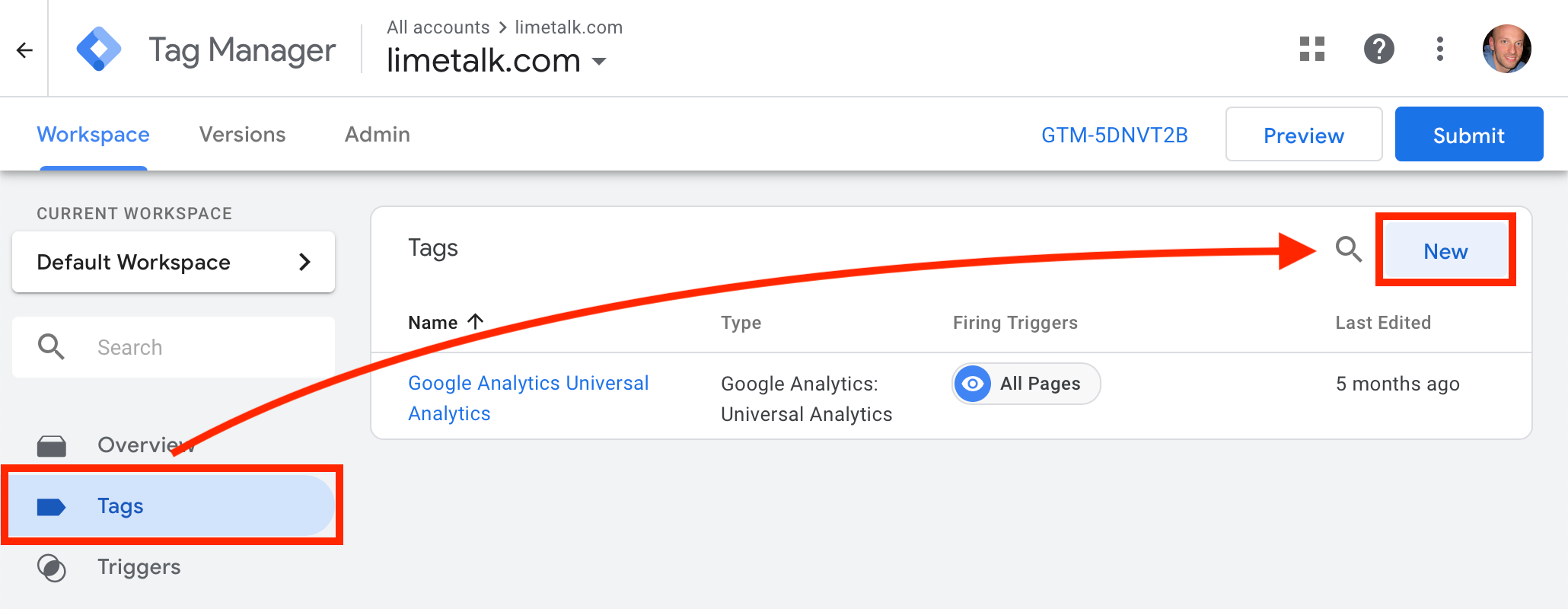
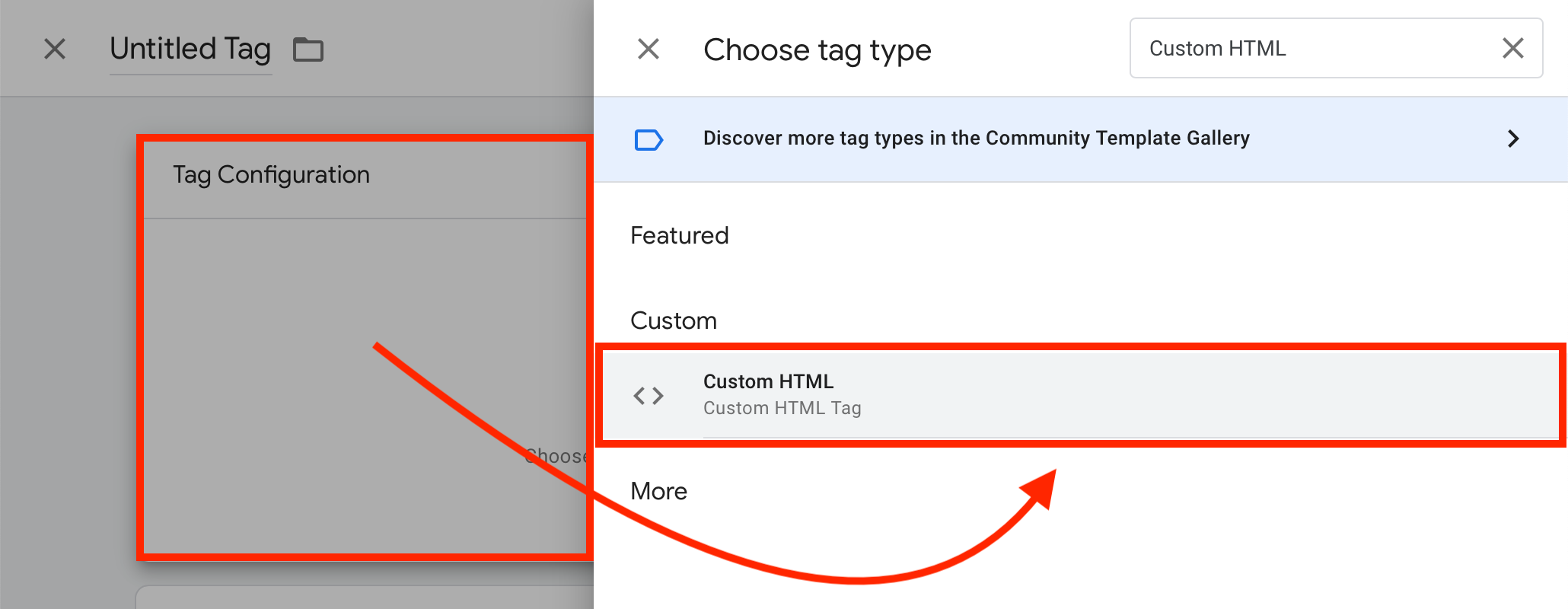
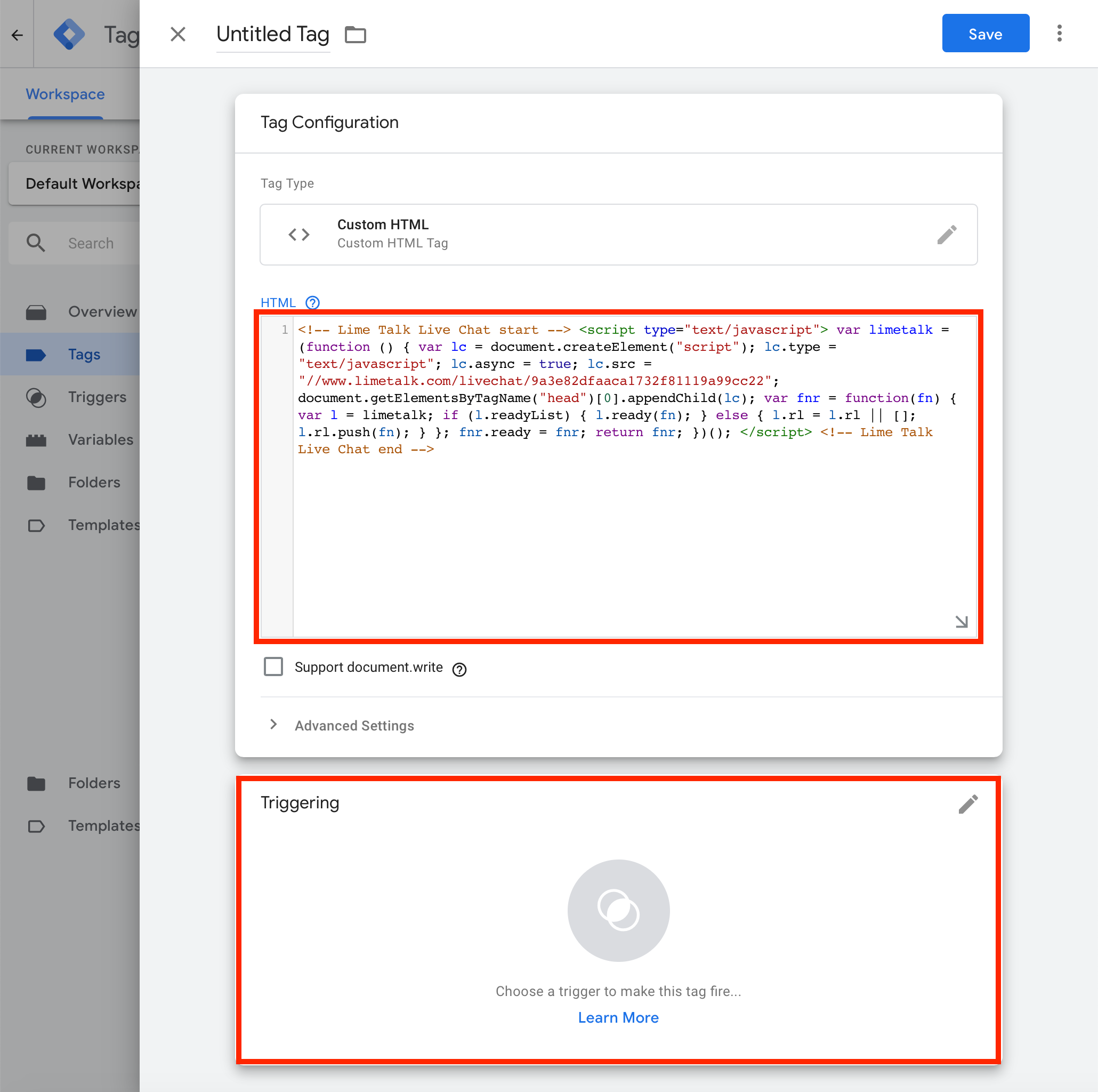

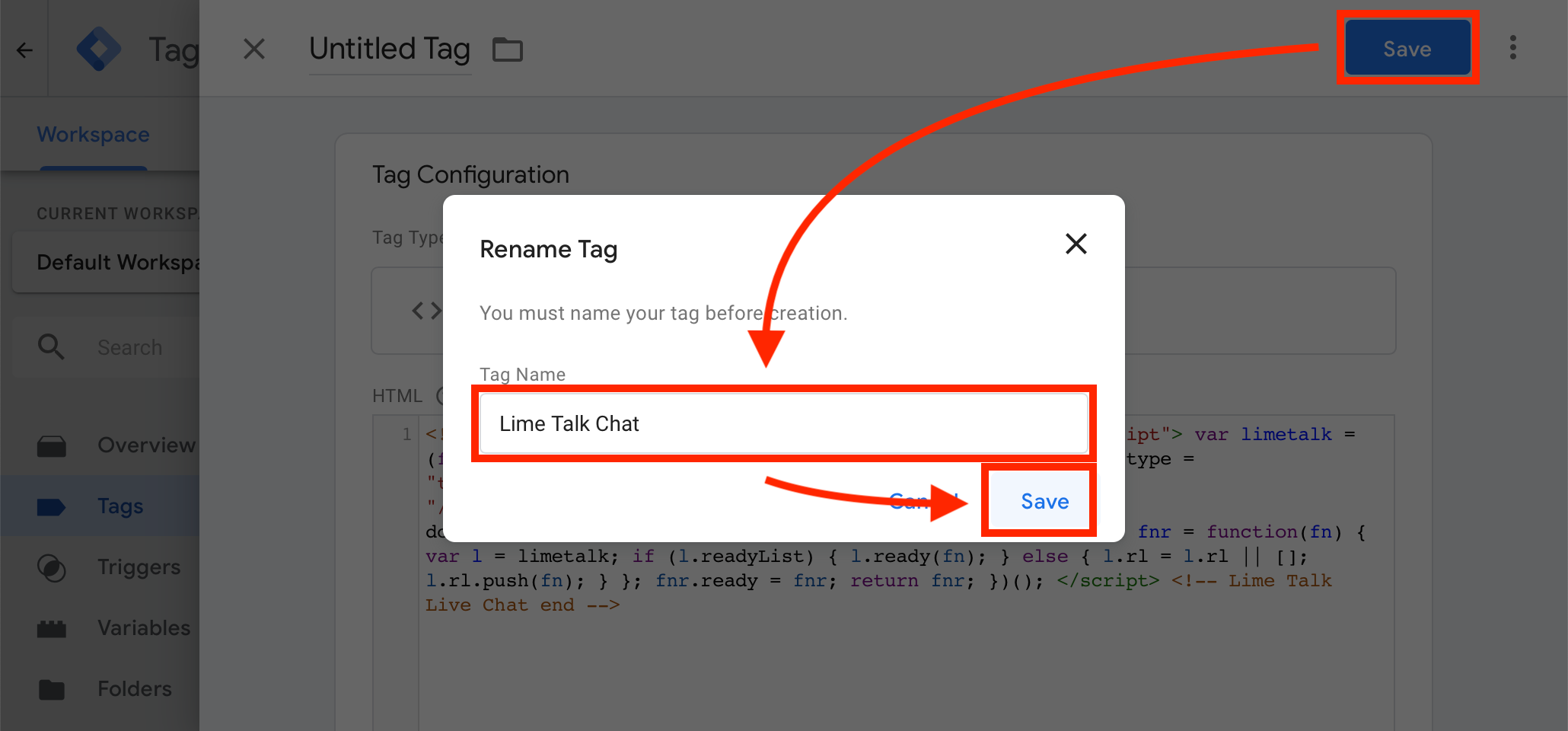
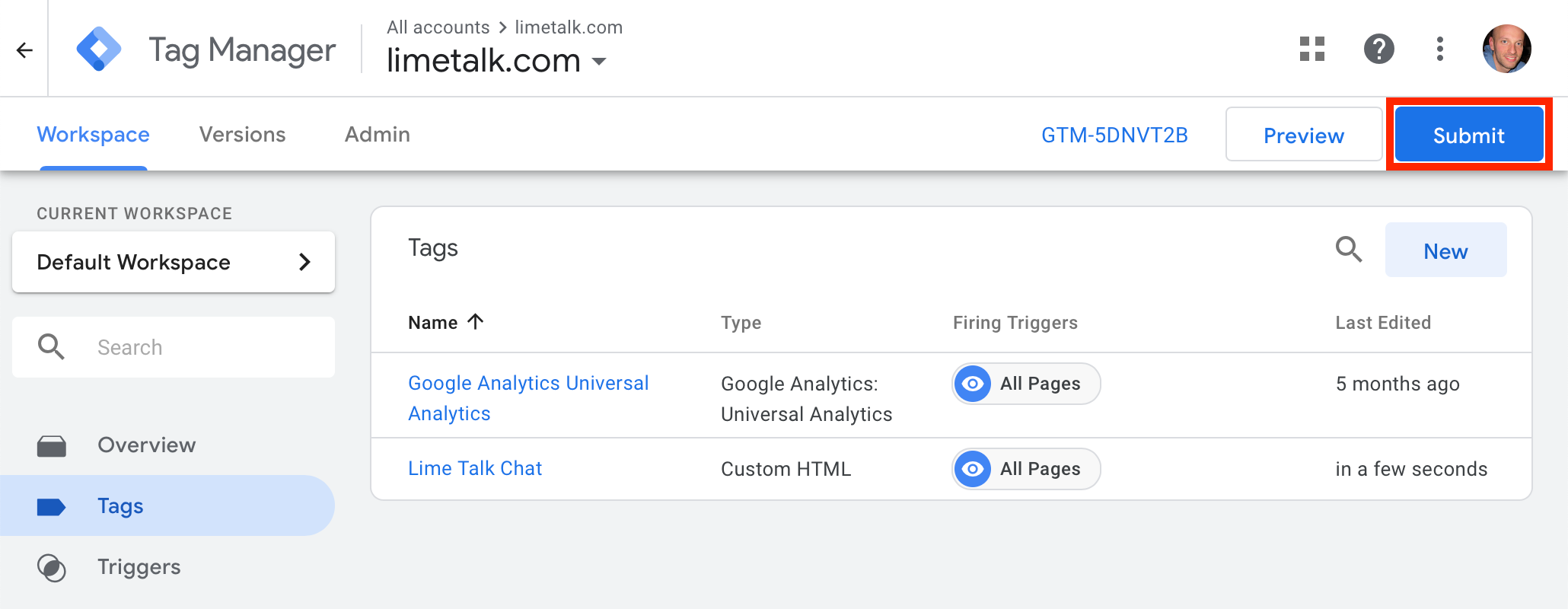
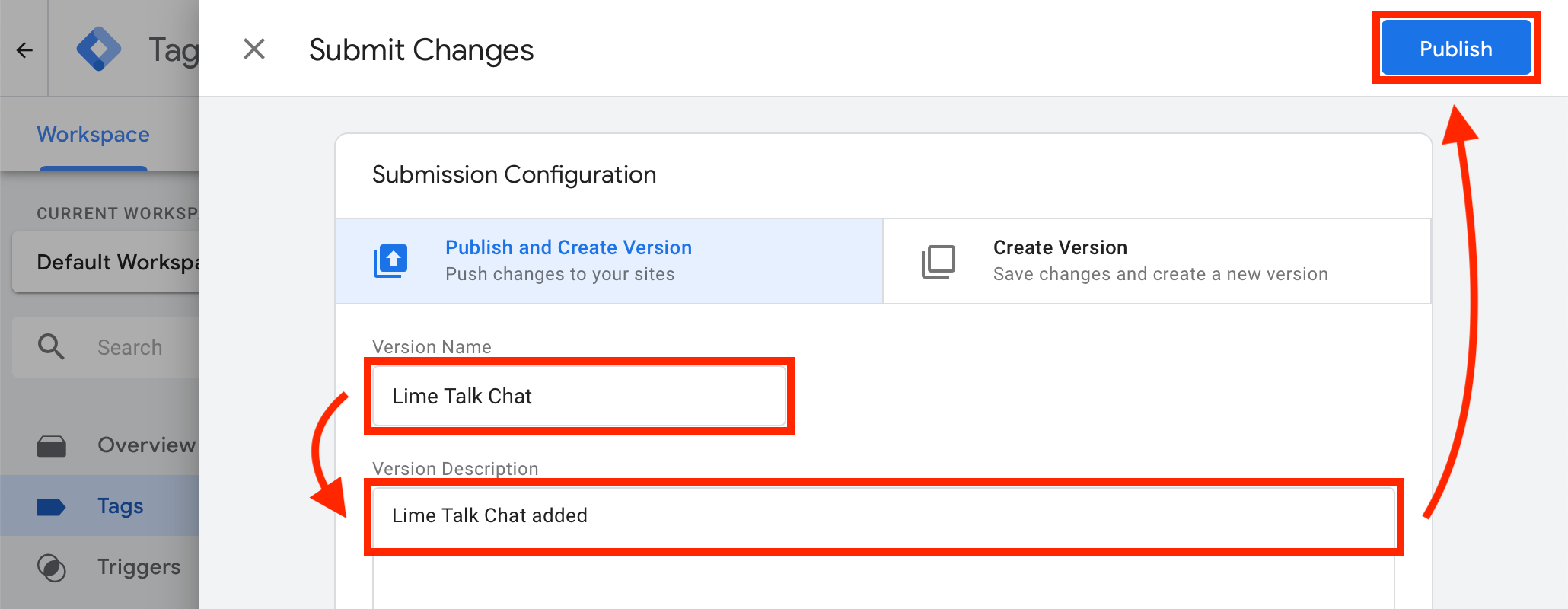
To tyle! Teraz Twój czat powinien pojawić się na Twojej stronie internetowej.
If you have Lime Talk installed via Google Tag Manager and need to add the Language version installation code to some subpages, you must use this notation instead of the standard one:
<script type="text/javascript">
  var el = document.createElement('script');
  el.setAttribute('id', 'limetalk-lang');
  el.setAttribute('data-id', 'XXXXXXX');
  document.getElementsByTagName("head")[0].appendChild(el);
</script>
Replace XXXXXXX in the above code with the data-id of your language from your Lime Talk client zone.