
Para instalar el Código de Lime Talk usando Google Tag Manager, copia el código de la zona cliente de Lime Talk (sección Ajustes -> Código de instalación) y sigue los pasos.
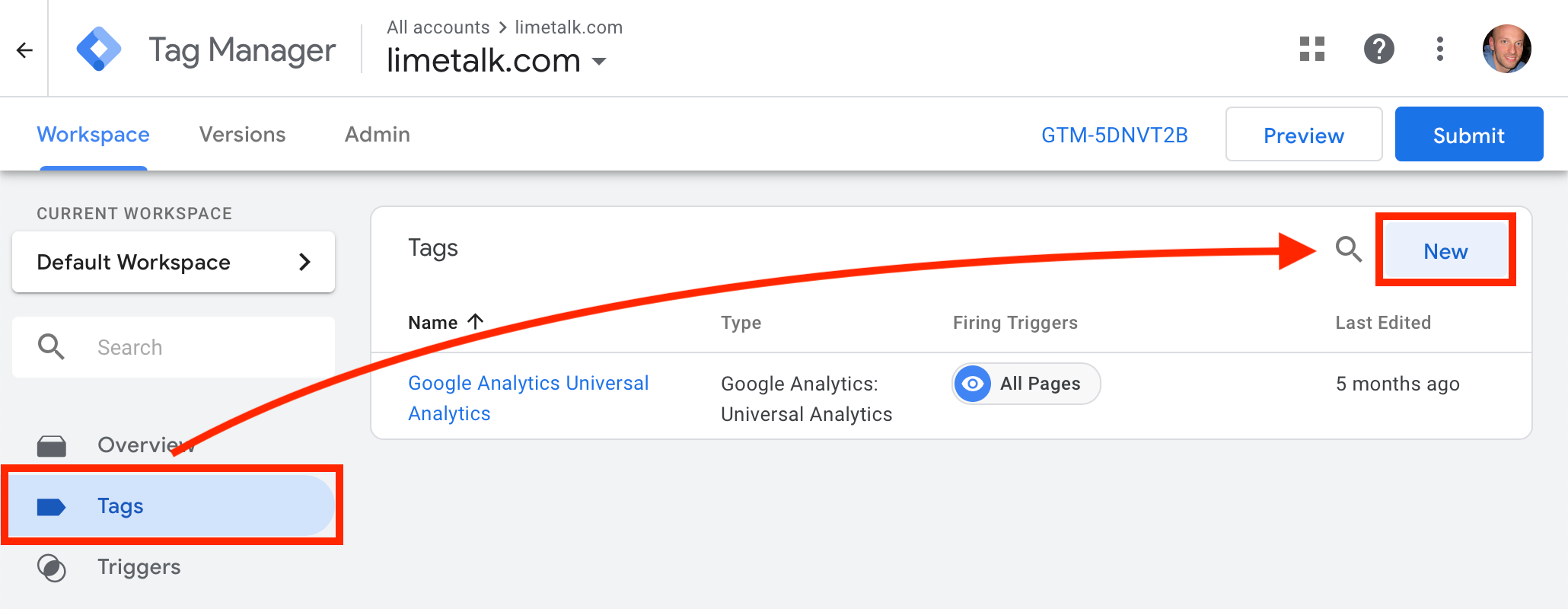
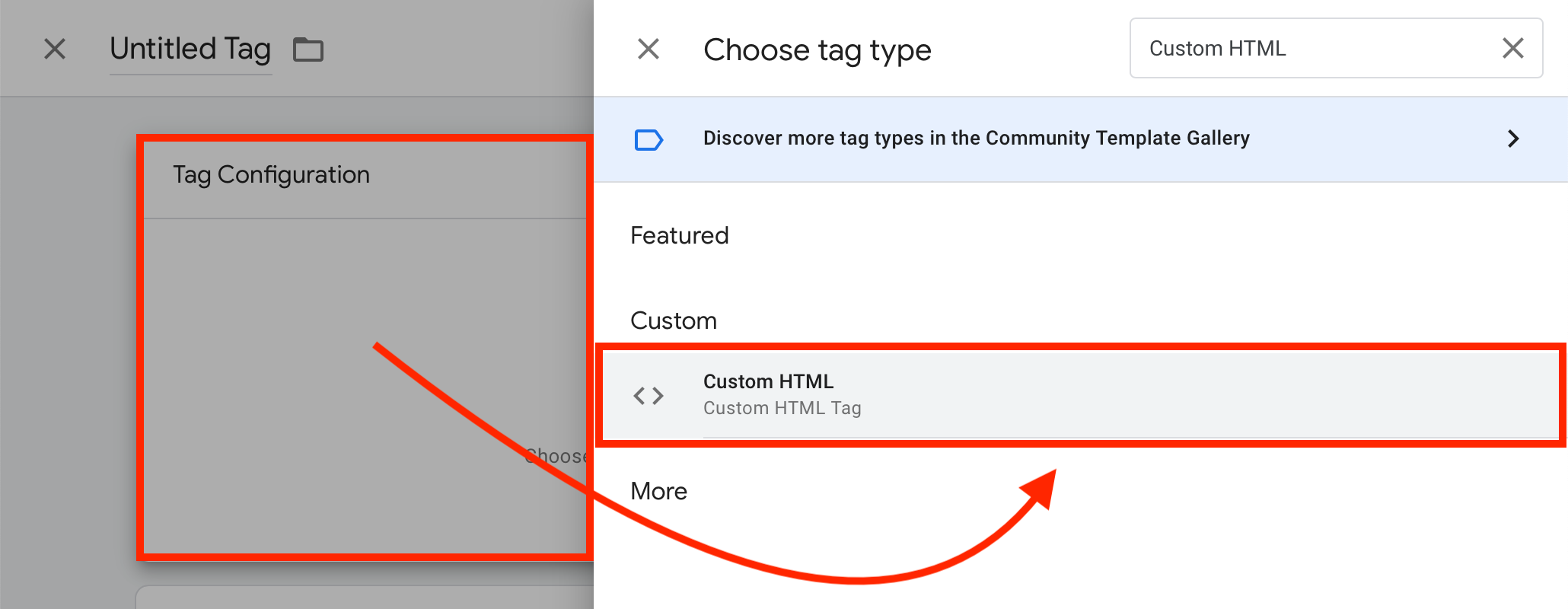
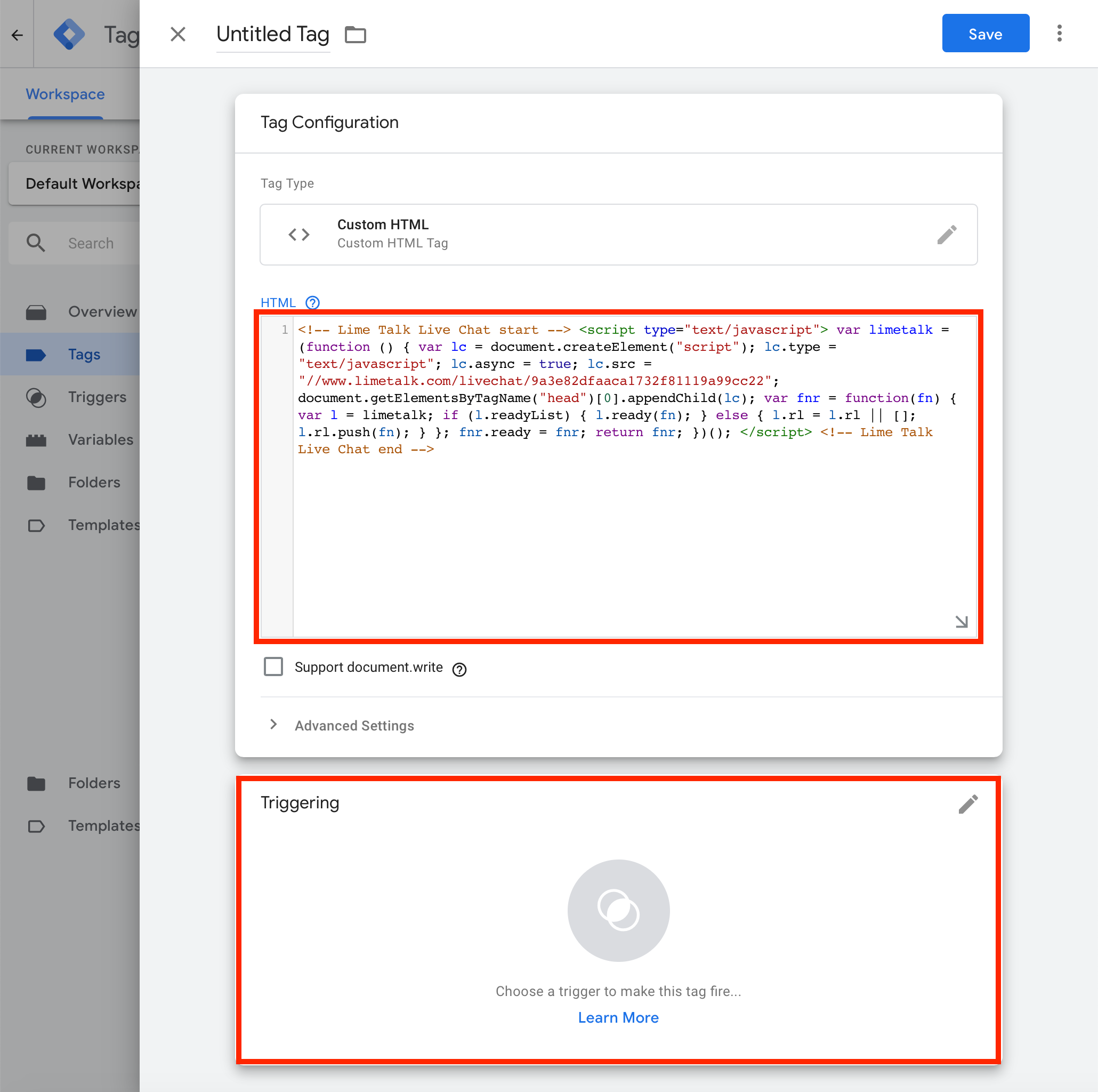

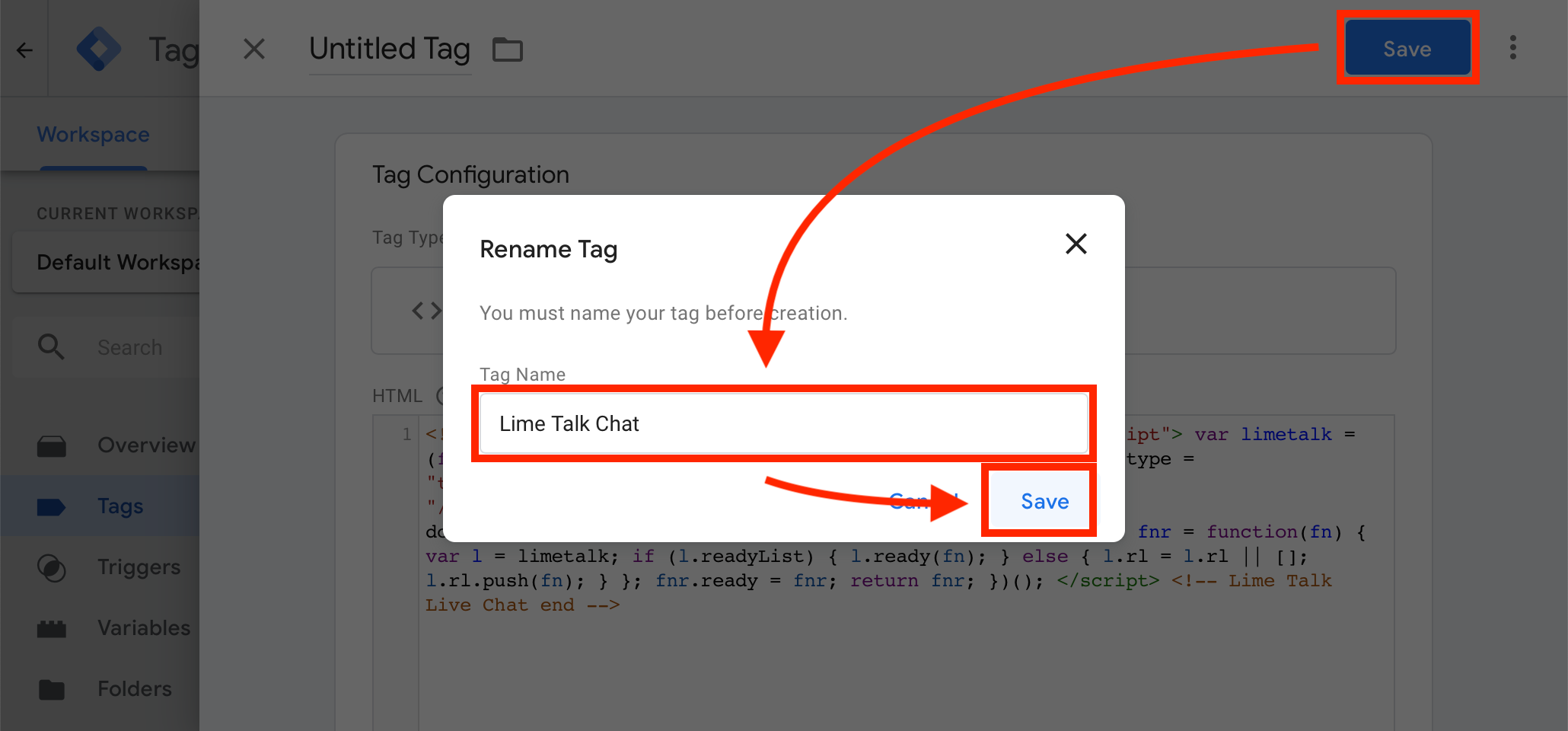
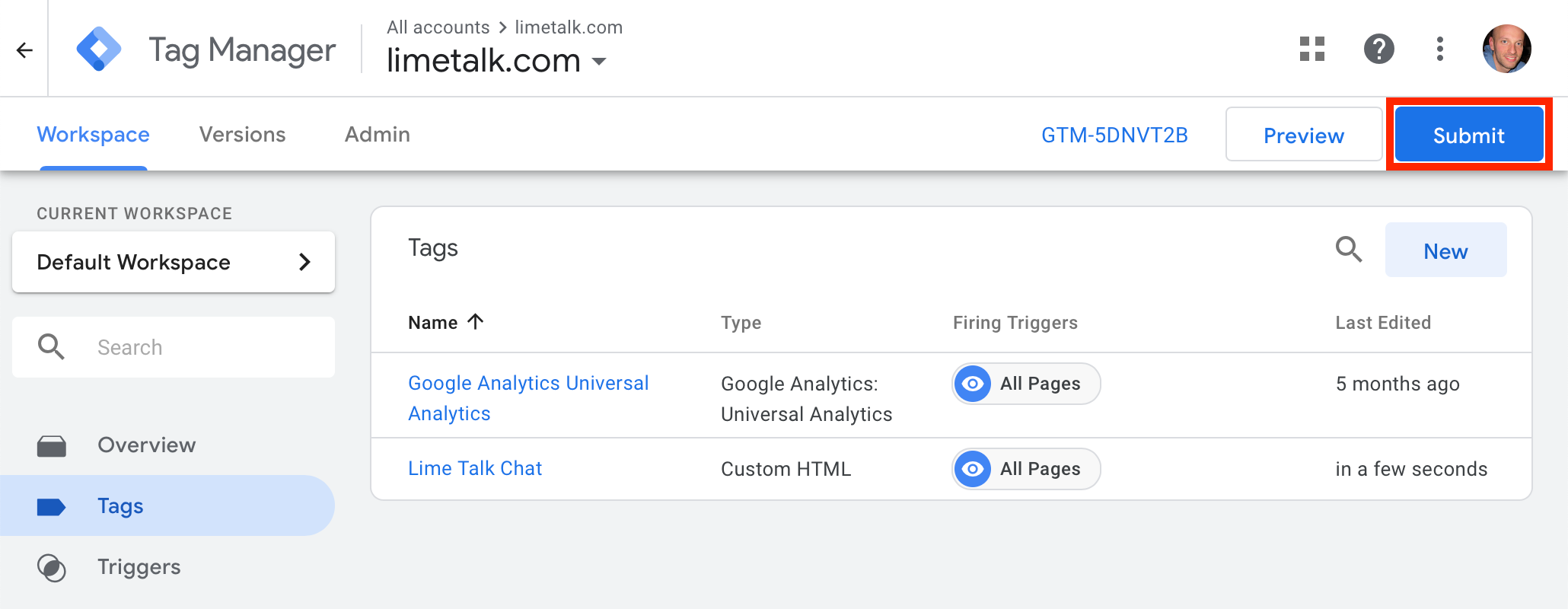
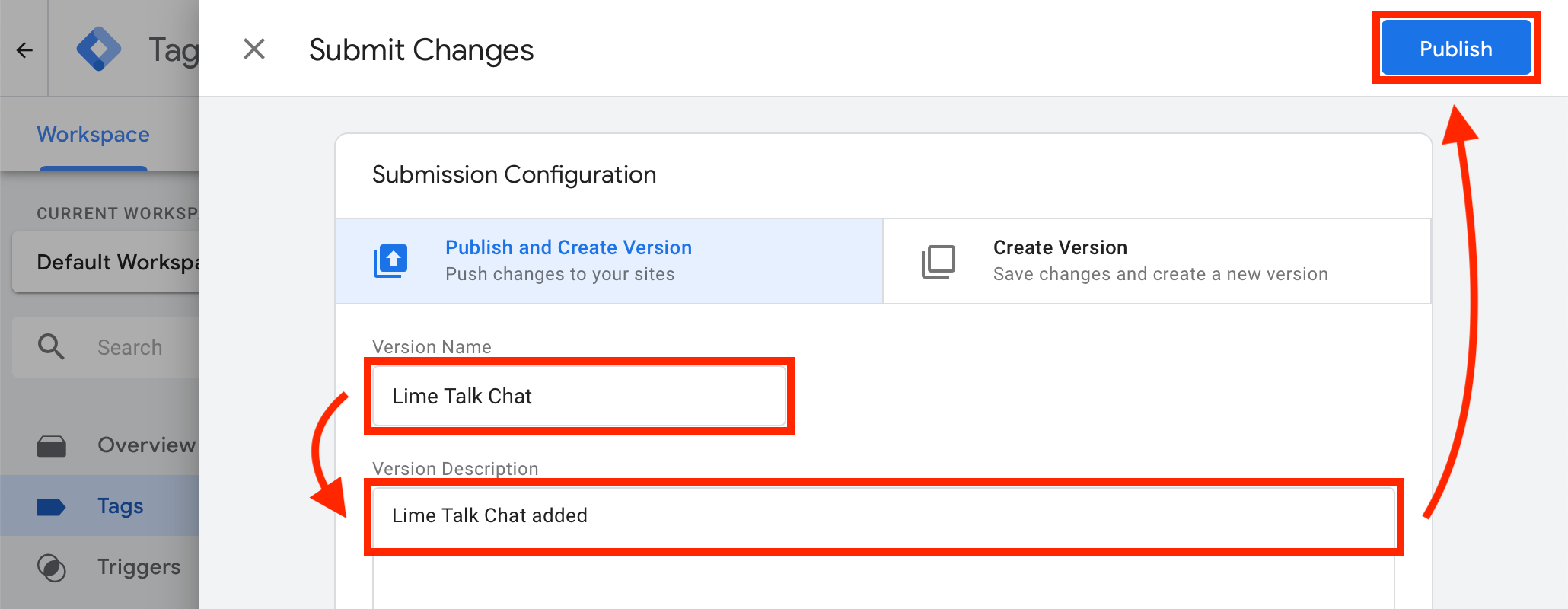
¡Ya está! Ahora el chat debería aparecer en tu sitio web.
If you have Lime Talk installed via Google Tag Manager and need to add the Language version installation code to some subpages, you must use this notation instead of the standard one:
<script type="text/javascript">
  var el = document.createElement('script');
  el.setAttribute('id', 'limetalk-lang');
  el.setAttribute('data-id', 'XXXXXXX');
  document.getElementsByTagName("head")[0].appendChild(el);
</script>
Replace XXXXXXX in the above code with the data-id of your language from your Lime Talk client zone.